 FoodAmigo
Take a photo
Point the camera at the plate. You get the dish, the calories, the macros and what the model thinks is on it.
Snap it, pick a photo from your library, or just type what you ate. FoodAmigo works out the calories and macros and keeps the whole day in one place.
Get FoodAmigo for iPhoneRequires iPhone with iOS 17 or later.
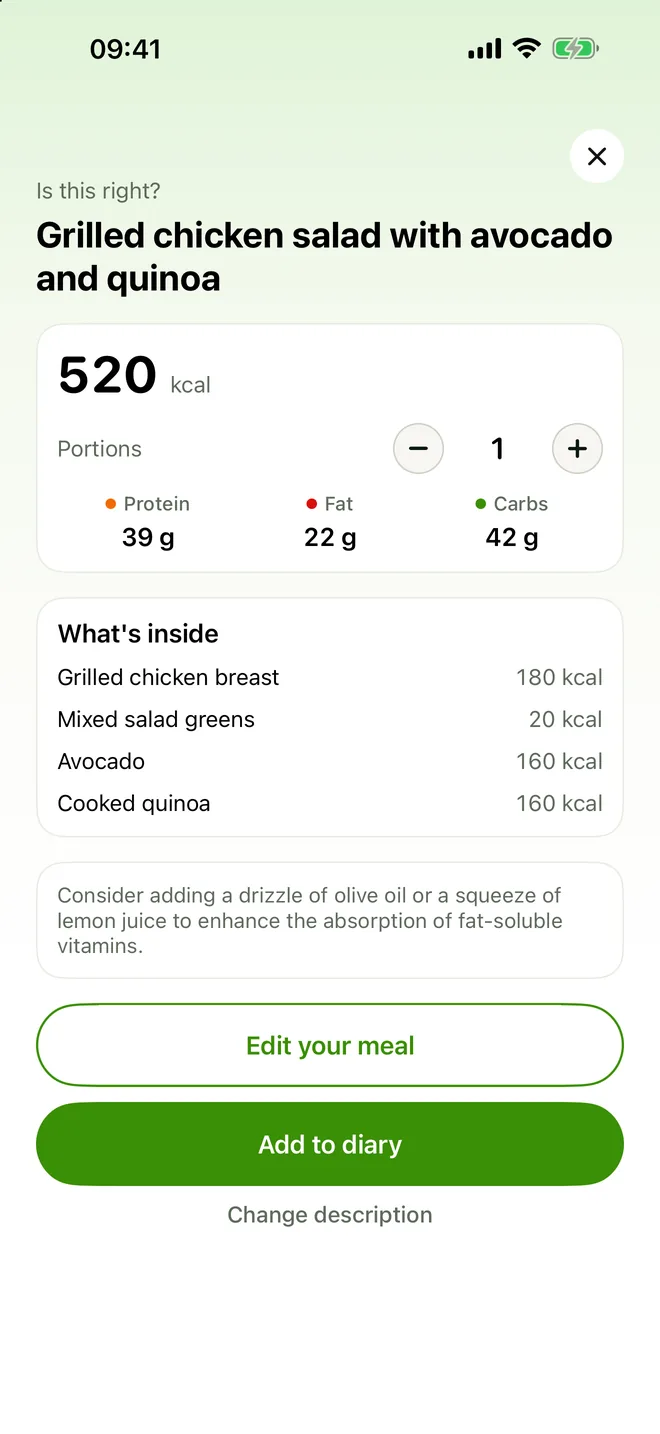
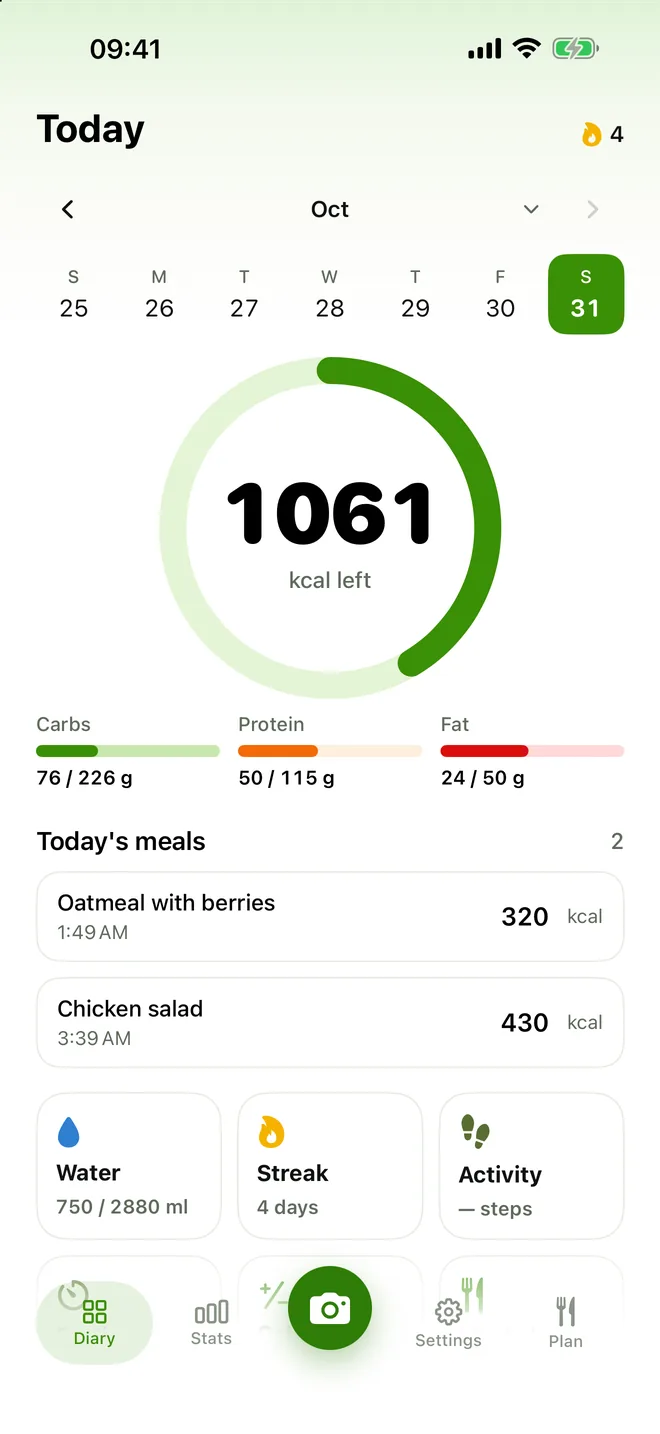
Most days a photo is quickest. Some days there is nothing left to photograph — so there are two other ways, and none of them is buried behind an extra tap.
Point the camera at the plate. You get the dish, the calories, the macros and what the model thinks is on it.
Already ate and only have the picture? Choose it from your library — it goes down the same path.
"Two scrambled eggs, toast with butter, black coffee." Enough for a restaurant table, a coffee, or a meal you finished an hour ago.
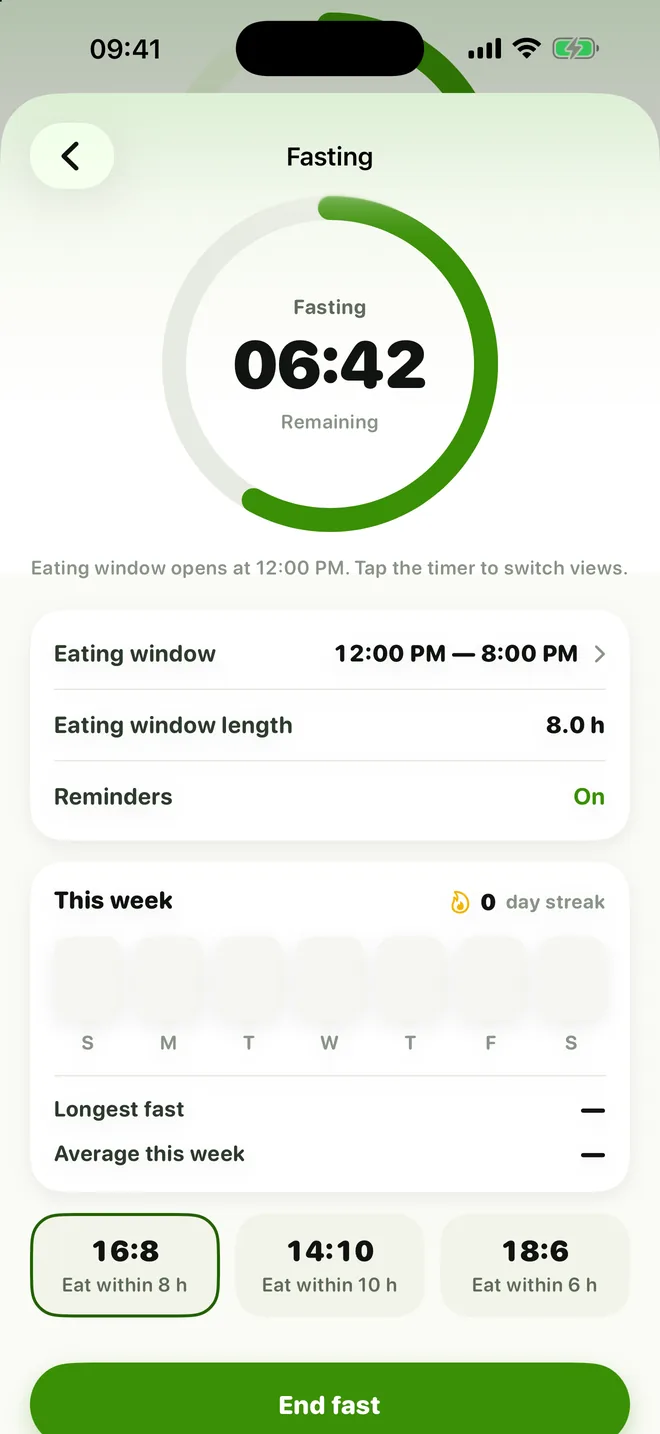
Pick a 16:8, 14:10 or 18:6 plan. The timer shows what's left of the fast or of the eating window, and the fasts during the night are counted for you.
On first open the app suggests talking to a doctor. Fasting is not available under 18.
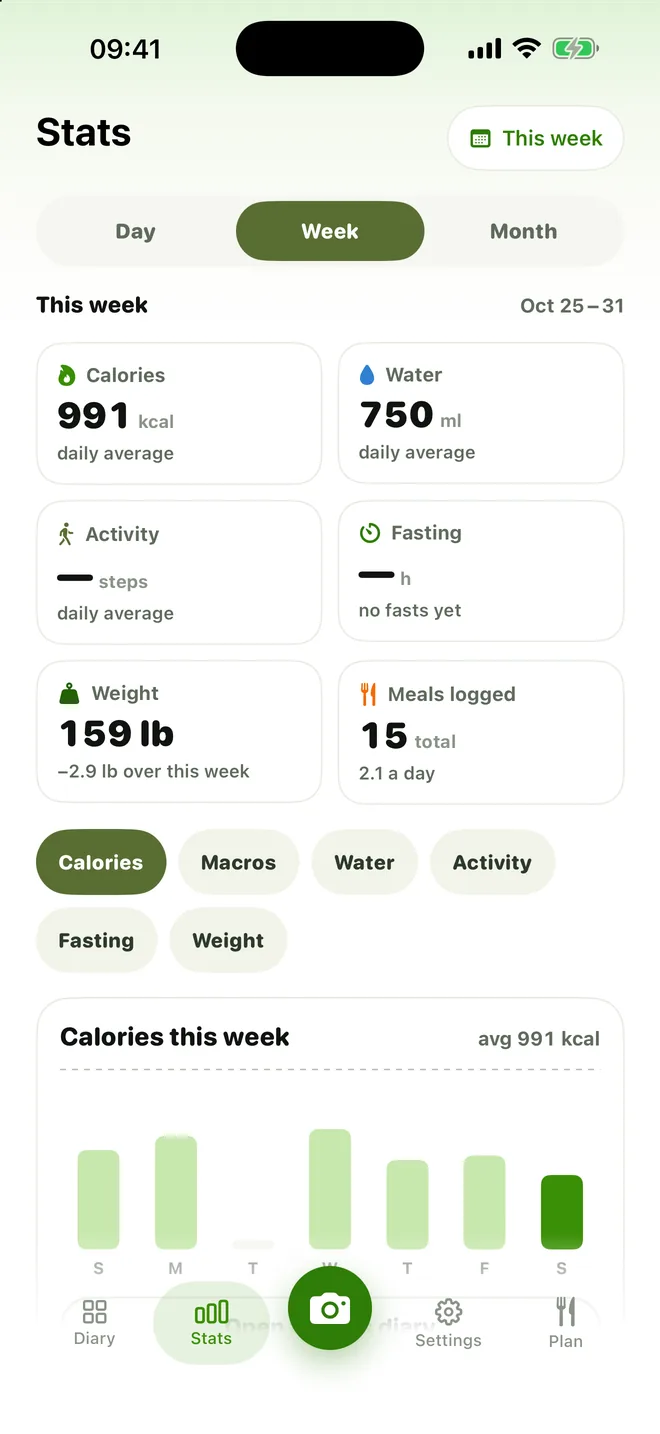
Calories, macros, water, activity, fasting and weight — one tap switches between them. Days you didn't log stay visible as gaps instead of quietly dragging the average down.
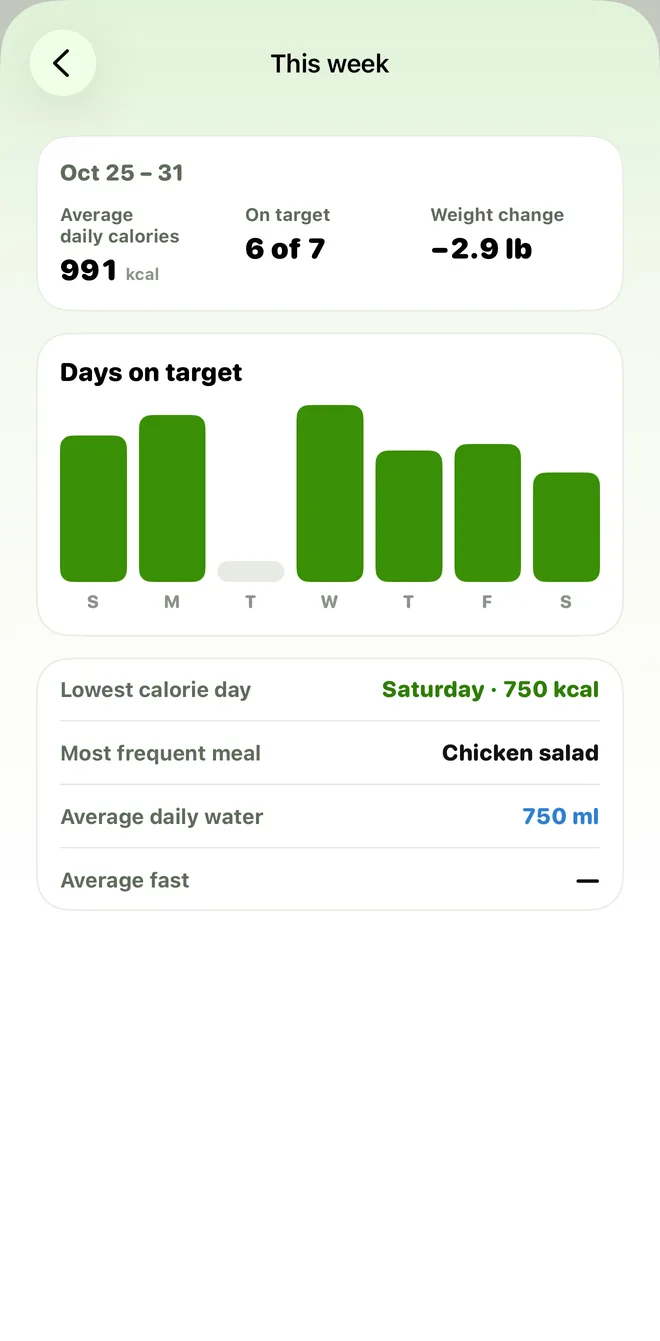
How many days stayed within your target, your lowest-calorie day, the meal you logged most often and how much you drank on average.
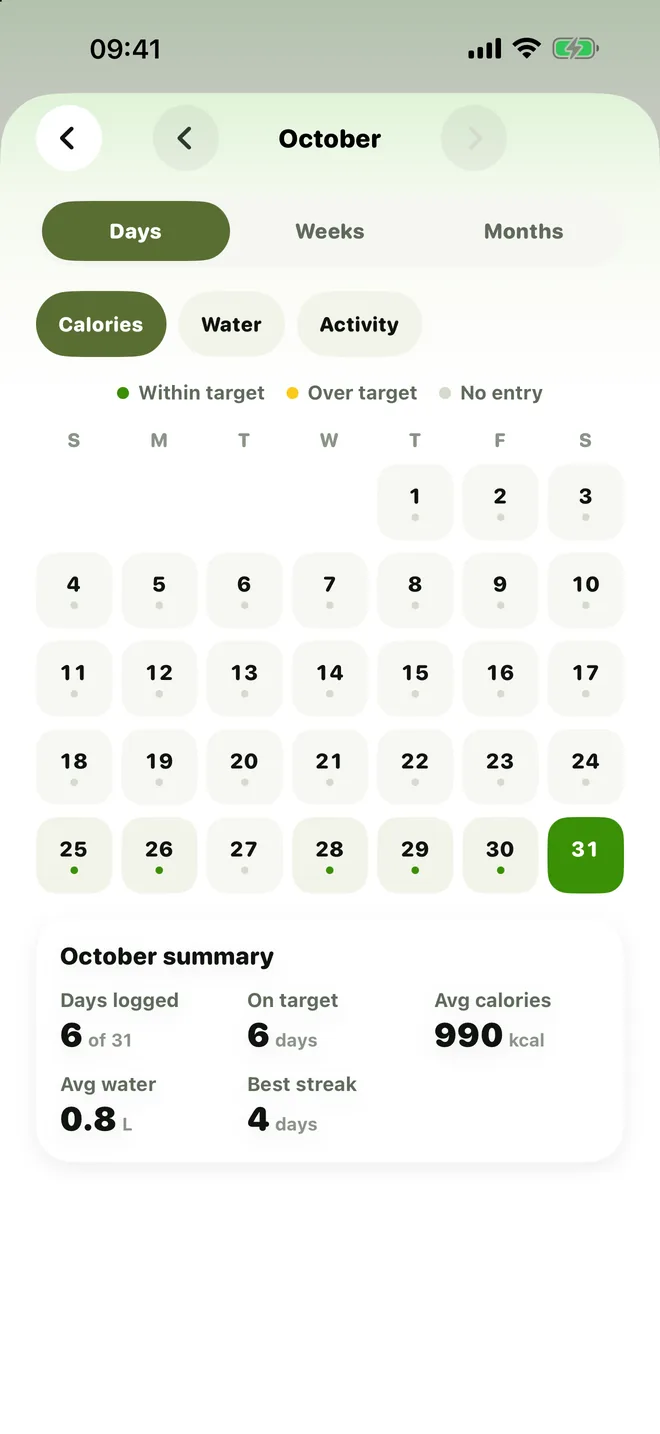
Each day is marked within target, over target or not logged. Tap a past day to see exactly what you ate; switch to weeks or months for the bigger picture.
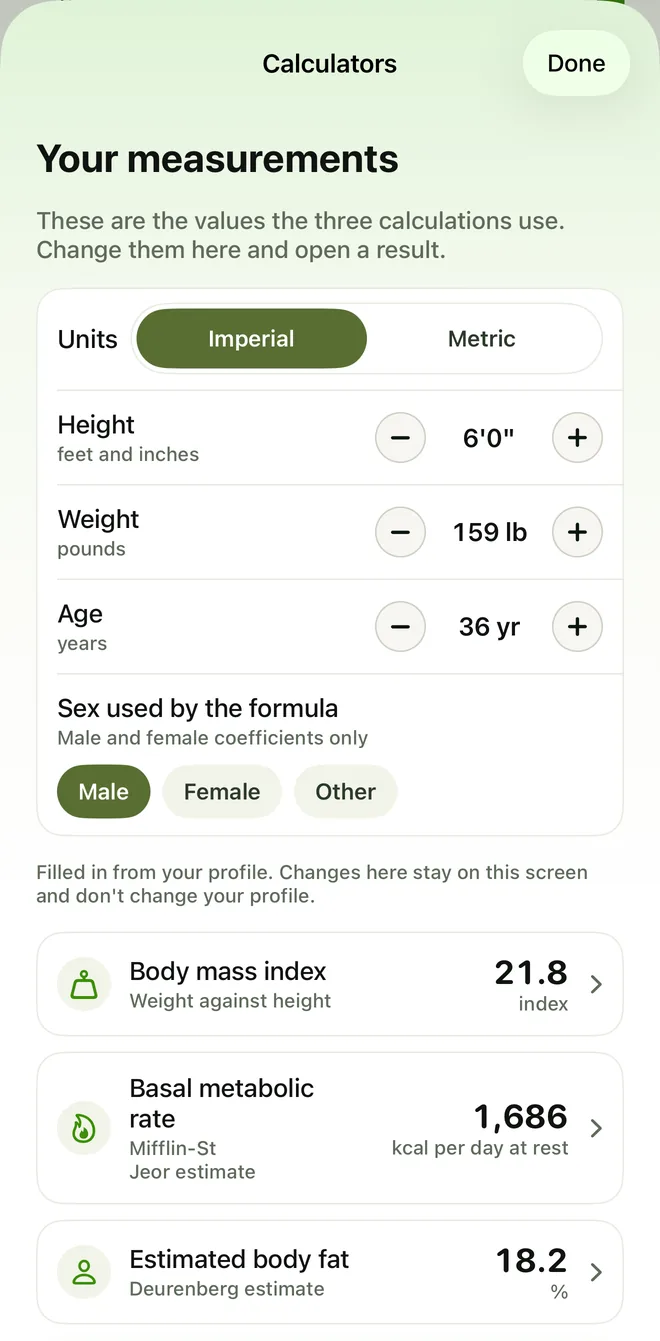
Body mass index, basal metabolic rate (Mifflin–St Jeor) and estimated body fat (Deurenberg), filled in from your profile. Every result comes with an article on the formula and its source.
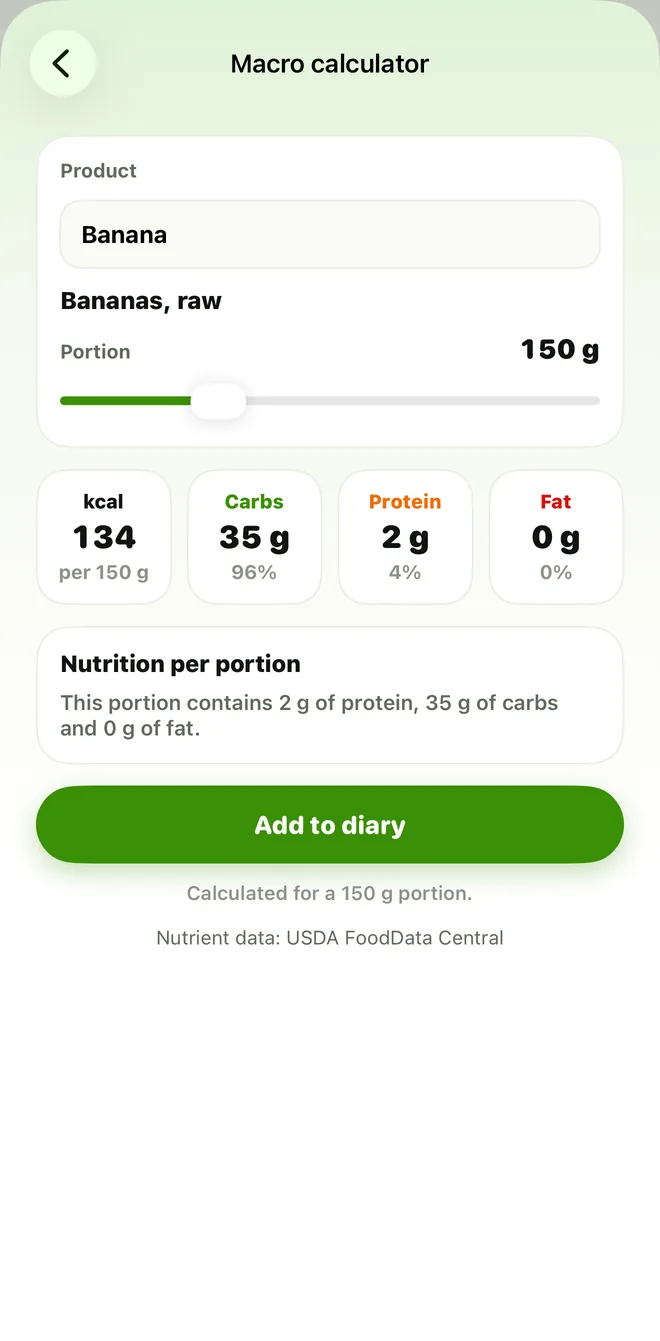
The macro calculator finds a food in USDA FoodData Central and shows the calories, carbs, protein and fat for a portion from 20 to 500 g, in 10 g steps — then adds it to your diary.
Log water by the glass, choose the glass size, and keep an eye on your daily water goal.
Optional: steps and active energy come in from Apple Health, and the calories you eat can be saved back to it.
Your diary, history and targets stay on your phone and work without internet.
FoodAmigo estimates. A model looks at your photo or reads your description and works out the most likely portion and its nutrition. It cannot see the oil in the pan or weigh the rice, so treat every number as a good guess you can correct — not a measurement.
That is enough for what the app is for: noticing patterns over weeks. It is not enough for anything clinical, and FoodAmigo is not a medical device and does not give medical advice.
Illustrations inside the app are generated with AI.
Short answers, no small print.
Accurate enough to see a trend, not accurate enough to trust a single meal to the gram. Two identical-looking plates can differ by a third depending on how they were cooked. If a number looks wrong, change it — the app keeps your correction and the model's original estimate side by side.
No. A photo is sent for recognition, lives in memory while it is being read, and is never written to our storage. What our server keeps is the text answer — the dish name and its numbers — and it deletes that 24 hours after the request.
The diary, your history and your targets work offline. Recognising a new meal does not: the model runs on our servers, not on your phone.
Answers about health shape your targets — a low-carb plan alongside diabetes, for example, gets an explanation and a choice before it is applied. Those answers are never passed to advertising or attribution partners.
FoodAmigo is sold as a subscription. The current price and any trial are shown by the App Store on the purchase screen, in your own currency — we deliberately don't print a number here that could be out of date the day you read it.
In iOS: Settings → your name → Subscriptions → FoodAmigo → Cancel. The subscription runs to the end of the paid period. Cancelling in the App Store is the only way that works — deleting the app does not stop billing.
One photo, one sentence, or one picture from your library. The rest is already set up.
Get FoodAmigo for iPhone